Where are the Citations ? Decoding Gemini w/ Google Search Grounding
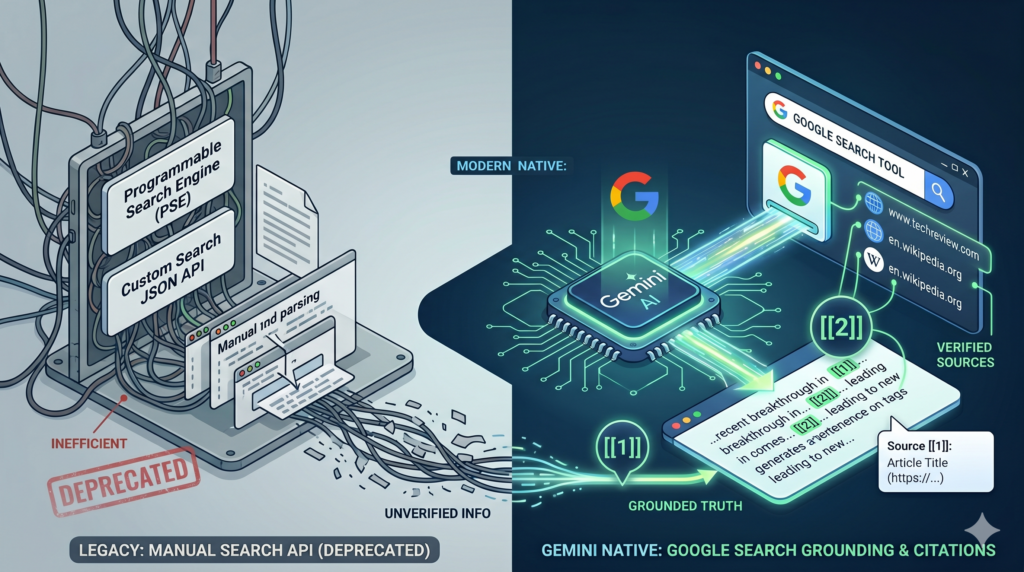
Before native LLM search tools existed, developers building RAG pipelines for the web had to wire up search infrastructure manually, building a “Chat with the Web” application followed a predictable, painful pattern. You’d spin up a Programmable Search Engine (PSE) or hit the Custom Web Search APIs, scrape the resulting URLs, parse the raw HTML, chunk the text, compute embeddings, throw it into a vector database, and finally prompt your LLM to generate an answer.
It was a brittle, latency-heavy nightmare and hard to maintain. Today, we are witnessing a paradigm shift. Web scraping and building your own Search-RAG pipeline is becoming a thing of the past. The new standard? Native LLM Web Grounding.
If you’ve used Google’s conversational AI apps like Gemini, Gemini Enterprise or NotebookLM, you’re likely familiar with their built-in citations. But when building with Gemini API, you won’t find this data in the main text—it’s tucked away in the response metadata and requires to extract and correctly display. In this post, we’ll explore the mechanics of Gemini’s built-in Google Search Grounding, and dissect how to properly implement byte-indexed inline citations
Search Grounding solutions in the market
Perplexity Sonar is a great solution for the most polished grounded-answer experience with citations, Google Gemini Search Grounding is best if you are already in the Google Cloud ecosystem and want enterprise-grade search-backed grounding and of course if you like/trust the quality of Google web search. Exa is a stong developer-focused retrieval option for RAG and research pipelines, Brave AI Grounding is the best low-cost privacy-friendly choice with straightforward pricing, and Tavily is a practical lightweight option for agent-style search workflows where quick integration matters most.
While researching, I discovered that Gemini also integrates with Exa, bringing quality and control sought after by many developers.
Gemini Grounding w/ Google Search
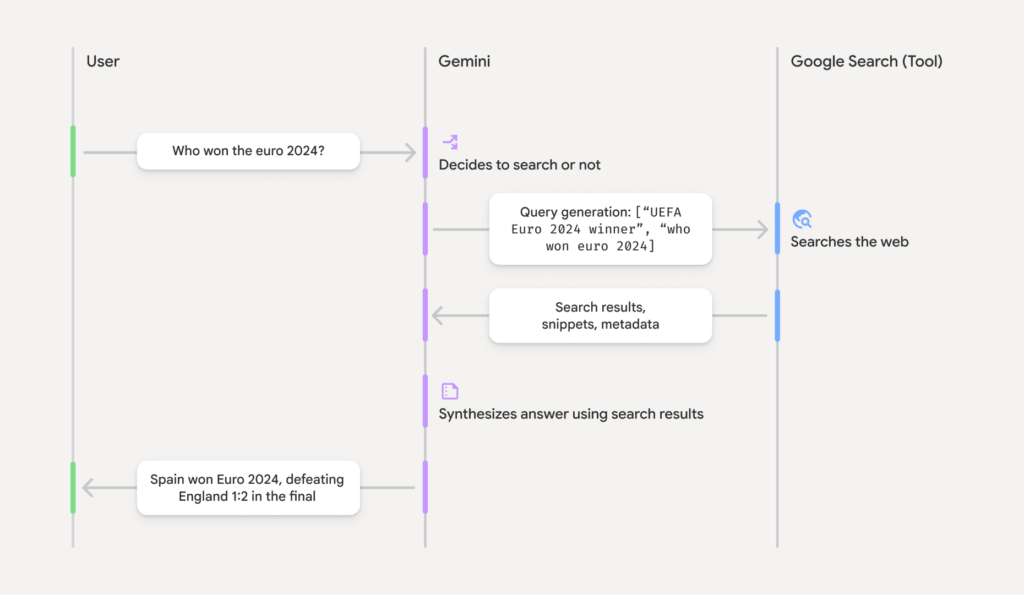
Gemini Grounding with Google Search natively connects the model to real-time web data to reduce hallucinations. It outperforms traditional custom Web Search RAG pipelines by offering built-in dynamic retrieval (only searching when necessary), automated citation mapping, and a fully managed architecture that eliminates the need to build and maintain complex query generation and context-injection workflows.
- Real-Time Knowledge: Accesses live web data to anchor responses in current events, bypassing knowledge cutoffs.
- Dynamic Retrieval: Uses a configurable threshold to intelligently search only when necessary (e.g., skipping searches for static facts).
- Native Citations: Returns a structured groundingMetadata object that precisely links the model’s text to source URLs.
- Enterprise Privacy: Supports VPC Service Controls and regional processing, ensuring queries are not logged or used for model training.
- Search Entry Points: Natively generates compliant HTML/CSS Google Search suggestion chips for easy UI integration.
How Google Search Grounding Works
Implementing Inline Citations w/ Gemini API
Step 1 : To make grounding effective, you must instruct the model on how to behave.
By setting temperature=0.0 and applying this strict system instruction, we force the model into an analytical, verification-first mindset, drastically reducing the chance of ungrounded hallucinations.
Step 2 : Configure the API w/ google_search tool call.
Unlike the legacy Custom Search API, there is no need to configure a search engine ID, manage a separate API key, or parse JSON snippets. You simply pass the tool to the configuration:
Step 3 : Decoding the Grounding Metadata
When Gemini returns a grounded response, it populates response.candidates[0].grounding_metadata. This metadata contains three vital components:
grounding_chunks(The Bibliography): A list of all the web sources (URLs and titles) the model retrieved and read.search_entry_point(Compliance): HTML content for a Google Search chip. Displaying this is a strict compliance requirement when using the Google Search grounding tool.grounding_supports(The Citations): This is the magic. It tells you exactly which segment of the model’s text is supported by which chunk in the bibliography.
Step 4 : The Complexity of Byte-Index Insertion
The most technical part of the provided code is the add_inline_citations function.
The grounding_supports object provides an end_index for where a citation should be placed. However, these indices are calculated using bytes, not characters. If a generated response includes emojis or special characters (which take up multiple bytes in UTF-8), standard Python string slicing will place the citations in the wrong spot, breaking your text.
Here is how the code safely solves this:
Why sort in descending order?
If we insert citations from the beginning of the text (left-to-right), inserting the first citation will increase the length of the string, shifting all subsequent byte indices and causing the remaining citations to be placed incorrectly. By iterating backward (right-to-left), we can safely mutate the byte array without affecting the index positions of the text that comes before it.
Step 5 : Build the search entry point
Step 6 : Build the Bibliography of sources
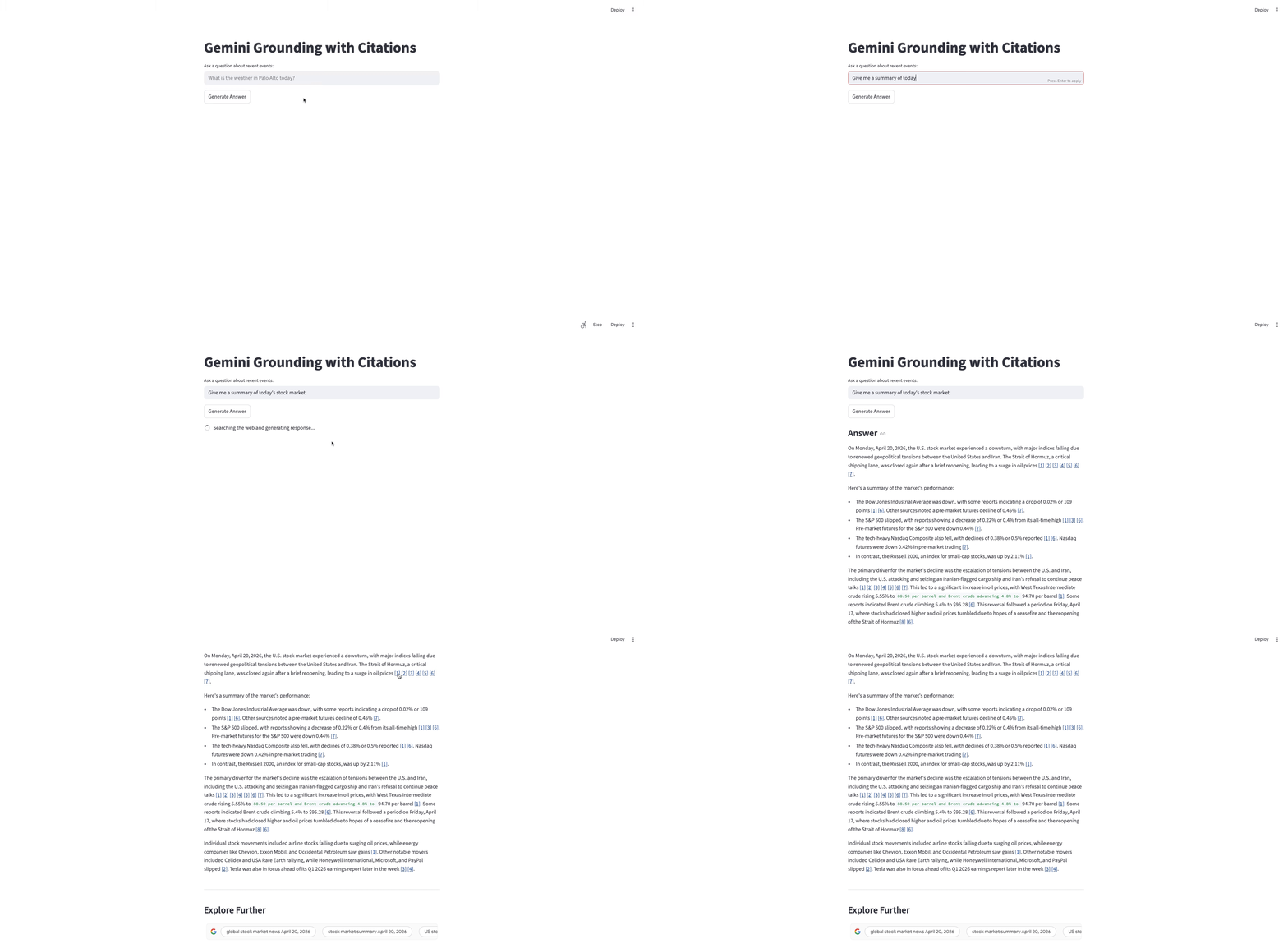
Demo App
References &
- Github Link to setup the Demo code
- Google documentation
- Pricing